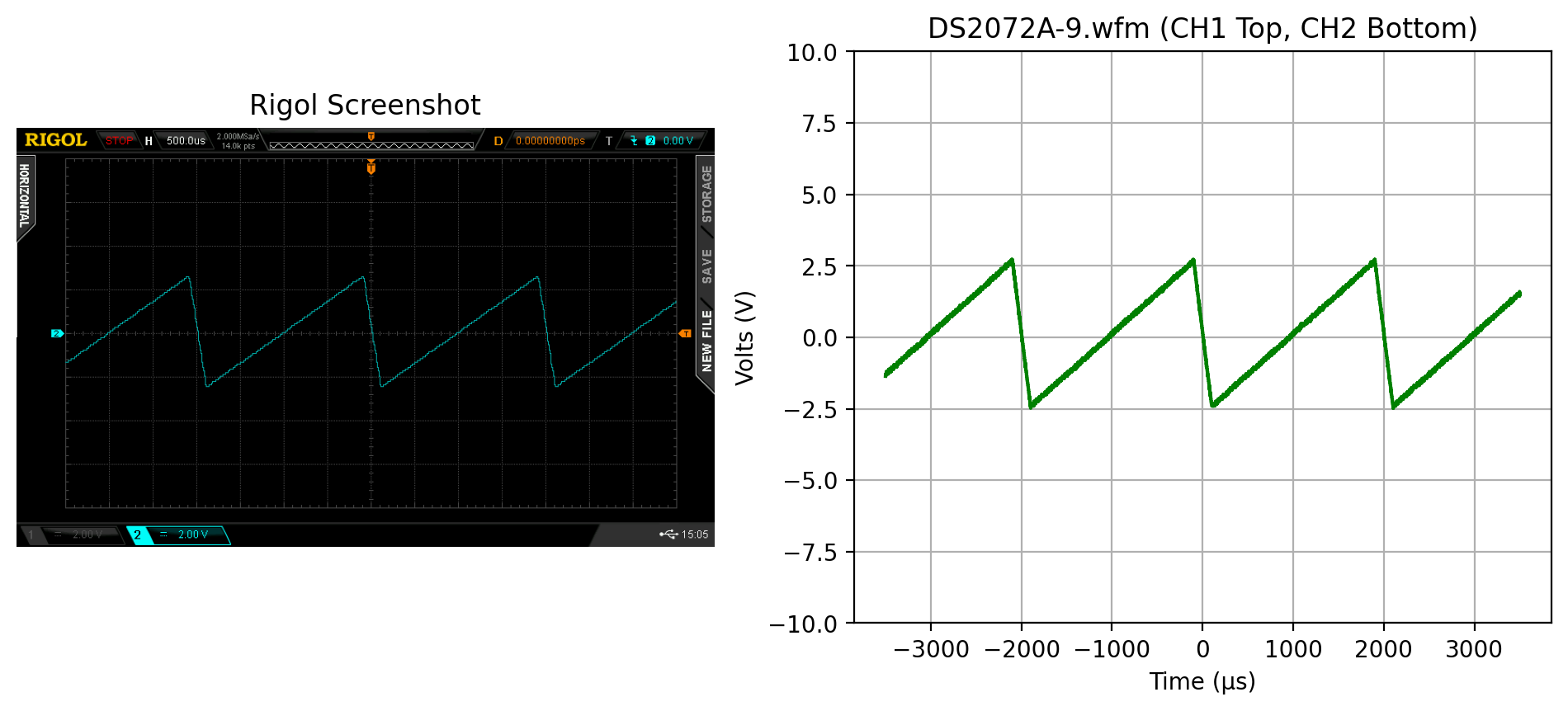
Rigol DS2000 Waveform Examples
Scott Prahl
Mar 2026
[11]:
%config InlineBackend.figure_format = 'retina'

import numpy as np
import matplotlib.pyplot as plt
import imageio.v3 as iio

from RigolWFM import Wfm, DS2000_scopes

repo = "https://raw.githubusercontent.com/scottprahl/RigolWFM/main/tests/files/wfm/"
[2]:
def read_rigol_csv(name):
    csv_data = np.genfromtxt(name, delimiter=",", skip_header=2).T
    lines = len(csv_data[0])
    header = np.genfromtxt(name, delimiter=",", skip_footer=lines, names=True)
    offset, scale = header["Start"], header["Increment"]
    csv_data[0] = offset + scale * csv_data[0]
    return csv_data


def side_by_png(stem, ch2=True, ch2_offset=-15):
    wfm = Wfm.from_url(repo + stem + ".wfm" + "?raw=true")
    png = iio.imread(repo + stem + ".png" + "?raw=true")

    plt.subplots(1, 2, figsize=(12, 4.5))

    plt.subplot(121)
    plt.title("Rigol Screenshot")
    plt.imshow(png)
    plt.axis("off")

    plt.subplot(122)

    ch1 = wfm.channels[0]
    plt.plot(ch1.times * 1e6, ch1.volts, color="green")
    plt.title(stem + ".wfm (CH1 Top, CH2 Bottom)")
    if ch2:
        ch = wfm.channels[1]
        plt.plot(ch.times * 1e6, ch2_offset + ch.volts, color="red")
    plt.xlabel("Time (µs)")
    plt.ylabel("Volts (V)")
    plt.ylim(-20, 20)
    plt.grid(True)


def side_by_csv(stem, ch2=True, ch2_offset=-15):
    wfm = Wfm.from_url(repo + stem + ".wfm" + "?raw=true")
    csv = np.genfromtxt(repo + stem + ".csv" + "?raw=true", delimiter=",", skip_header=2).T

    plt.subplots(1, 2, figsize=(12, 4.5))

    plt.subplot(121)

    time = -(csv[0, -1] - csv[0, 0]) / 2 + csv[0]
    plt.title(stem + ".csv (CH1 Top, CH2 Bottom)")
    plt.plot(time, csv[1], color="green")
    plt.plot(time, ch2_offset + csv[2], color="red")
    plt.xlabel("Time (µs)")
    plt.ylabel("Volts (V)")
    plt.grid(True)

    plt.subplot(122)

    ch1 = wfm.channels[0]
    plt.plot(ch1.times * 1e6, ch1.volts, color="green")
    plt.title(stem + ".wfm (CH1 Top, CH2 Bottom)")
    if ch2:
        ch = wfm.channels[1]
        plt.plot(ch.times * 1e6, ch2_offset + ch.volts, color="red")
    plt.xlabel("Time (µs)")
    plt.ylabel("Volts (V)")
    plt.grid(True)
A list of Rigol scopes in the DS2000 family is:
[3]:
print(DS2000_scopes)
['2', '2000', 'DS2000', 'DS2072A', 'DS2102A', 'MSO2102A', 'MSO2102A-S', 'DS2202A', 'MSO2202A', 'MSO2202A-S', 'DS2302A', 'MSO2302A', 'MSO2302A-S']
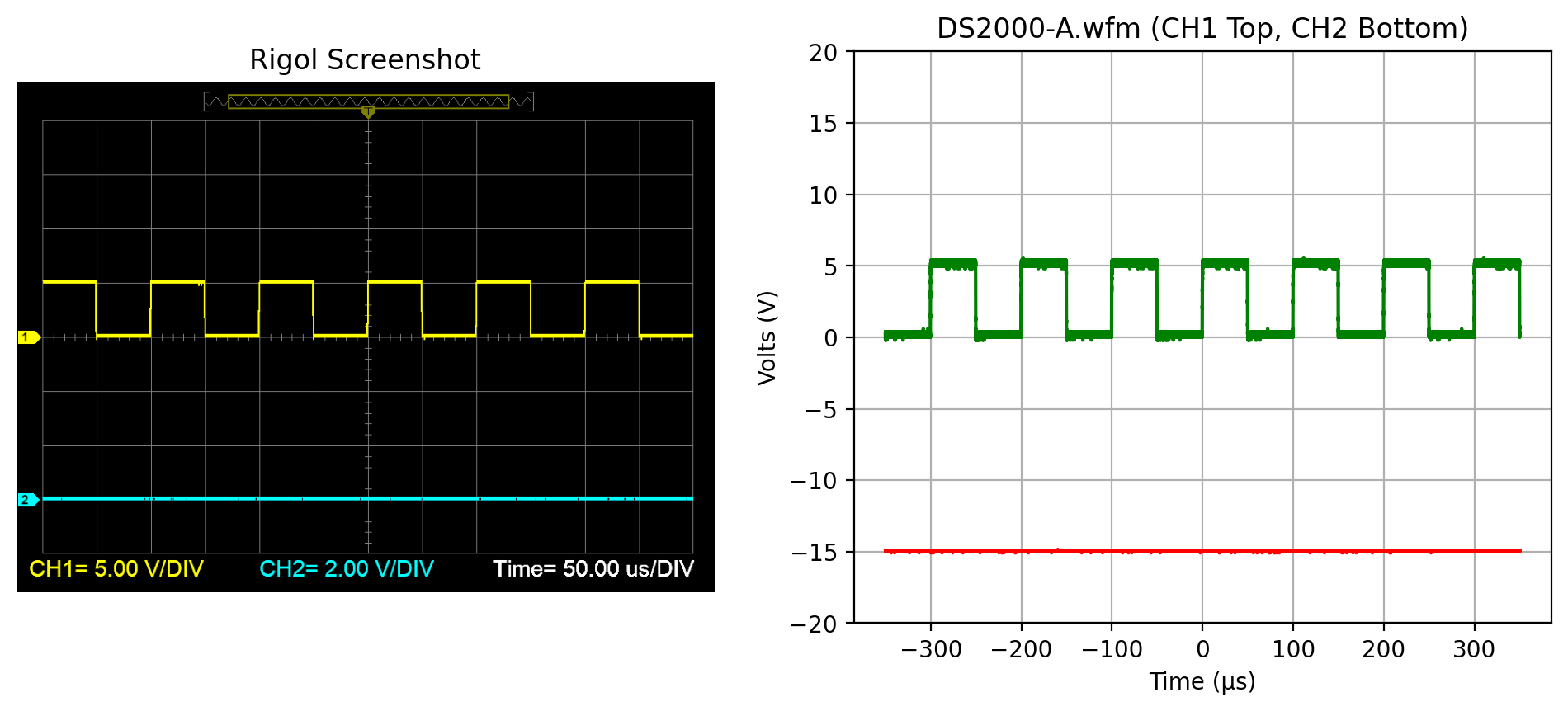
DS2000-A
Start with a .wfm file from a Rigol DS2000 scope.
Screenshot and .wfm summary
The screenshot is shown on the left and the parsed file summary is shown on the right.
[4]:
side_by_png("DS2000-A")
plt.show()
downloading 'https://raw.githubusercontent.com/scottprahl/RigolWFM/main/tests/files/wfm/DS2000-A.wfm?raw=true'
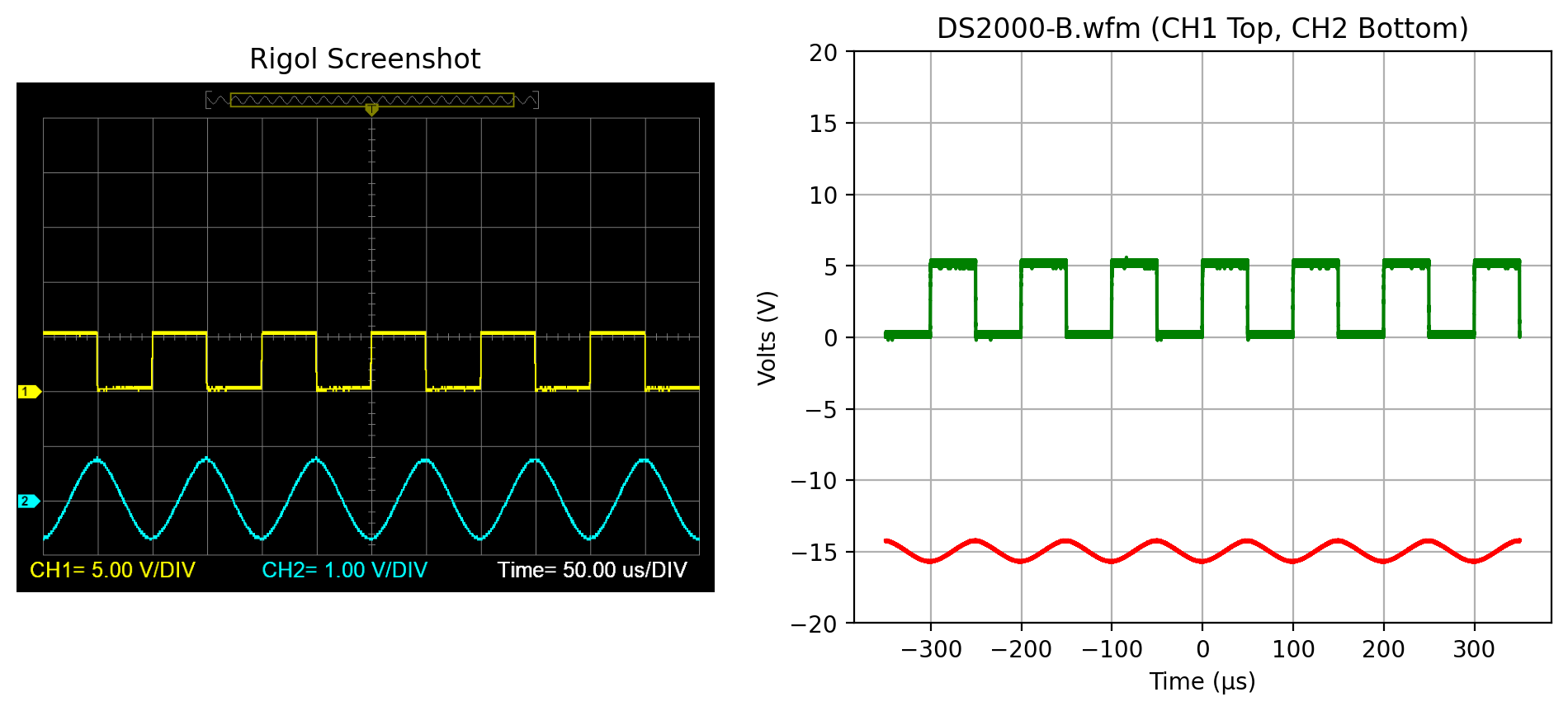
DS2000-B
Screenshot and .wfm summary
The screenshot is shown on the left and the parsed file summary is shown on the right. Only channel 1 is enabled in this file.
[5]:
side_by_png("DS2000-B")
plt.show()
downloading 'https://raw.githubusercontent.com/scottprahl/RigolWFM/main/tests/files/wfm/DS2000-B.wfm?raw=true'
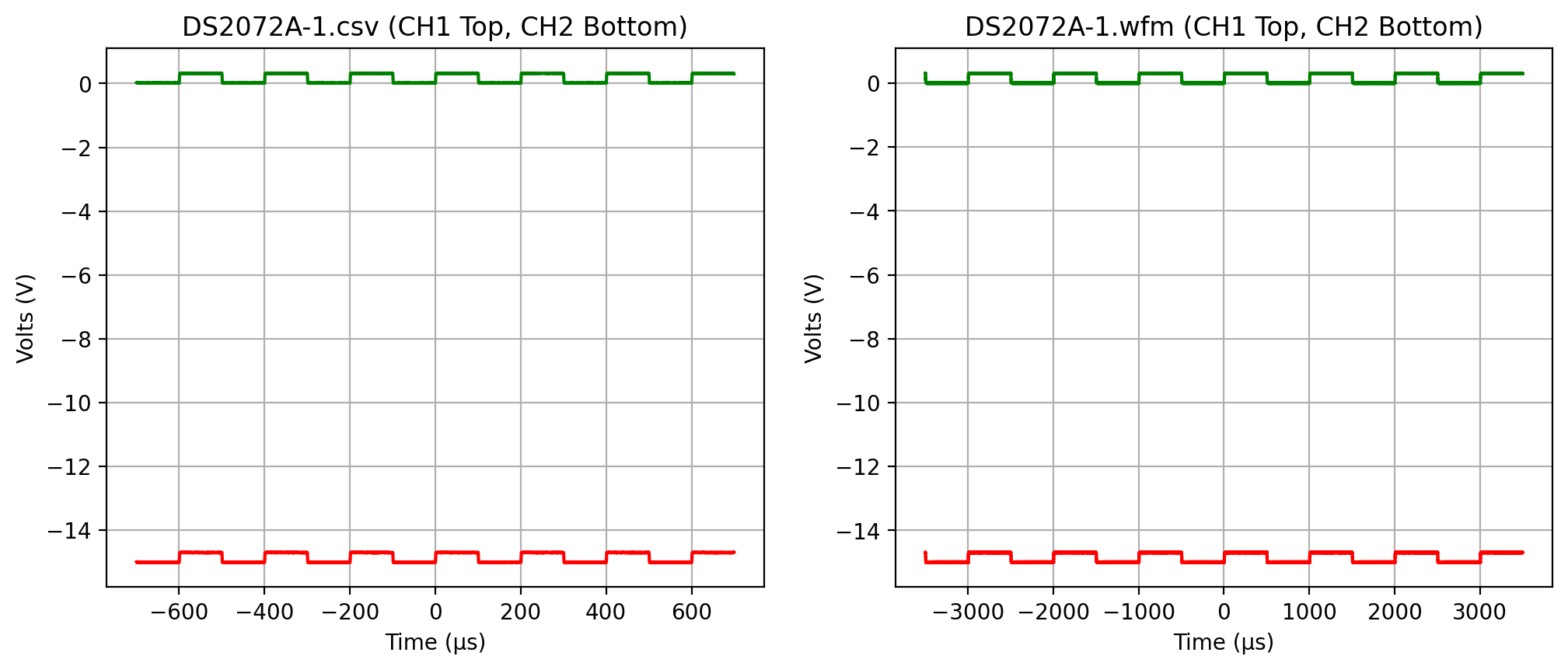
DS2072A-1
Start with a .wfm file from a Rigol DS2072 scope. Evidently the image capture on these scopes is buggy and shows no traces. However, it does show the time scale and that both channels were active.
Look at the data in the .csv file
First let’s look at a plot of the data from the corresponding .csv file.
[6]:
side_by_csv("DS2072A-1")
plt.show()
downloading 'https://raw.githubusercontent.com/scottprahl/RigolWFM/main/tests/files/wfm/DS2072A-1.wfm?raw=true'
DS2072A-3
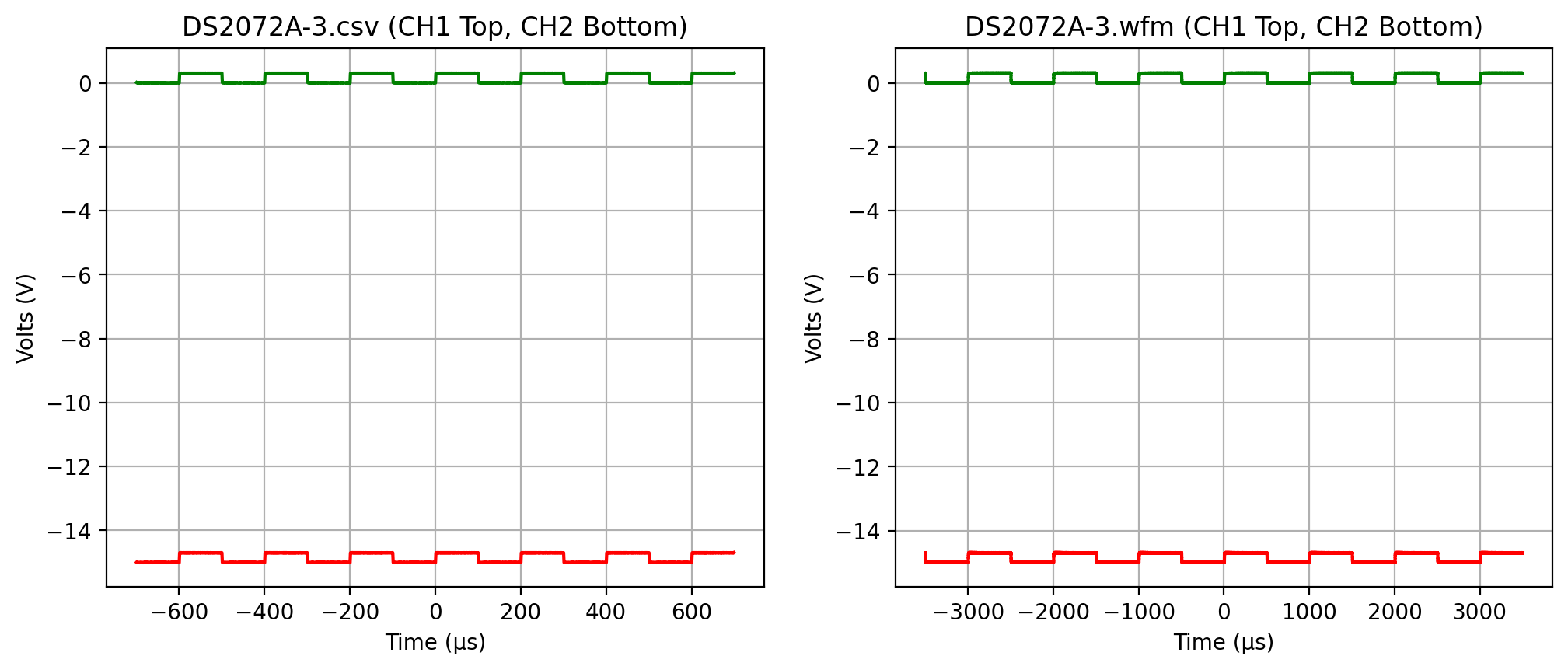
First the .csv data
Let’s look at what the accompanying .csv data looks like.
[7]:
side_by_csv("DS2072A-3")
plt.show()
downloading 'https://raw.githubusercontent.com/scottprahl/RigolWFM/main/tests/files/wfm/DS2072A-3.wfm?raw=true'
DS2072A-7
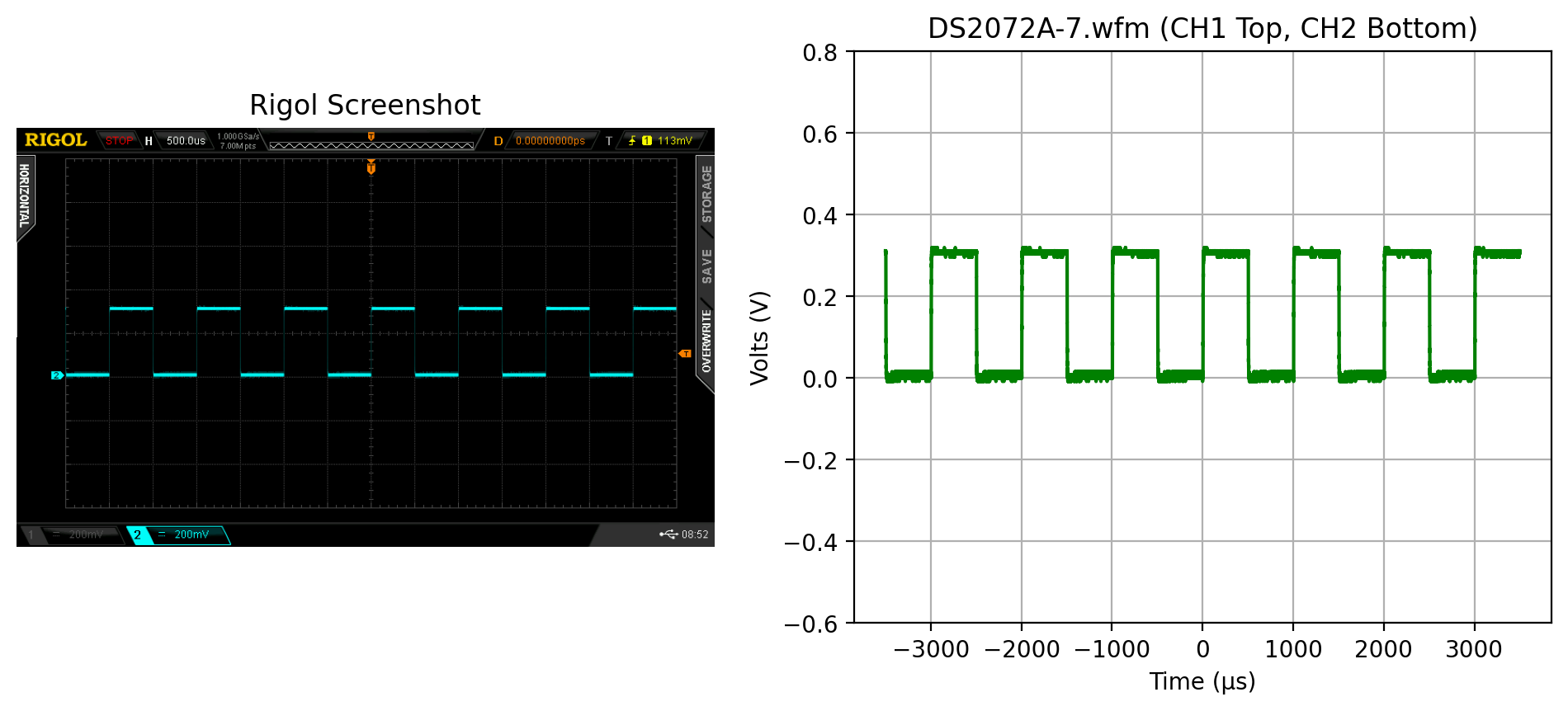
Screenshot and .wfm summary
The screenshot is shown on the left and the parsed file summary is shown on the right.
[8]:
side_by_png("DS2072A-7", ch2=False)
plt.ylim(-0.6, 0.8)
plt.show()
downloading 'https://raw.githubusercontent.com/scottprahl/RigolWFM/main/tests/files/wfm/DS2072A-7.wfm?raw=true'
[9]:
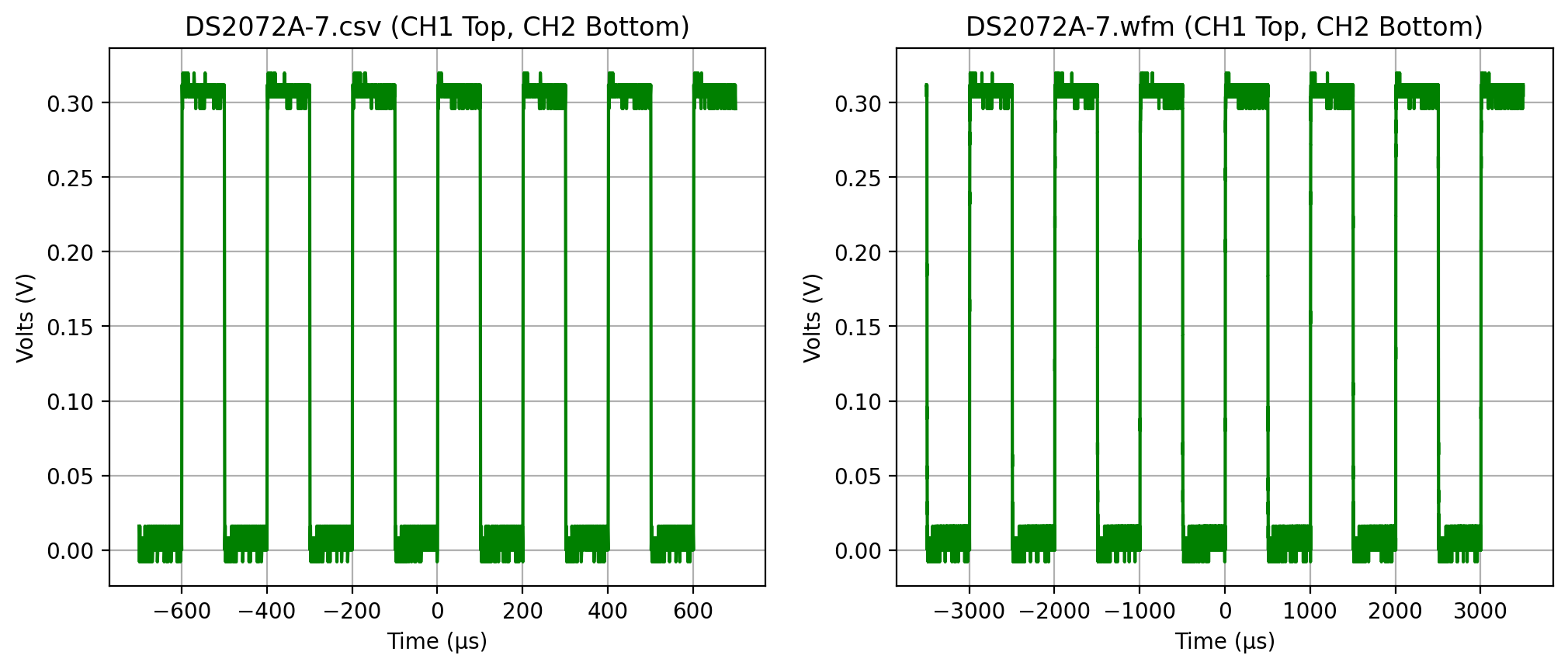
side_by_csv("DS2072A-7", ch2=False)
plt.show()
downloading 'https://raw.githubusercontent.com/scottprahl/RigolWFM/main/tests/files/wfm/DS2072A-7.wfm?raw=true'
DS2072A-9
Test for large memory bank if CH1 is unselected.
Screenshot and .wfm summary
The screenshot is shown on the left and the parsed file summary is shown on the right.
[10]:
side_by_png("DS2072A-9", ch2=False)
plt.ylim(-10, 10)
plt.show()
downloading 'https://raw.githubusercontent.com/scottprahl/RigolWFM/main/tests/files/wfm/DS2072A-9.wfm?raw=true'